

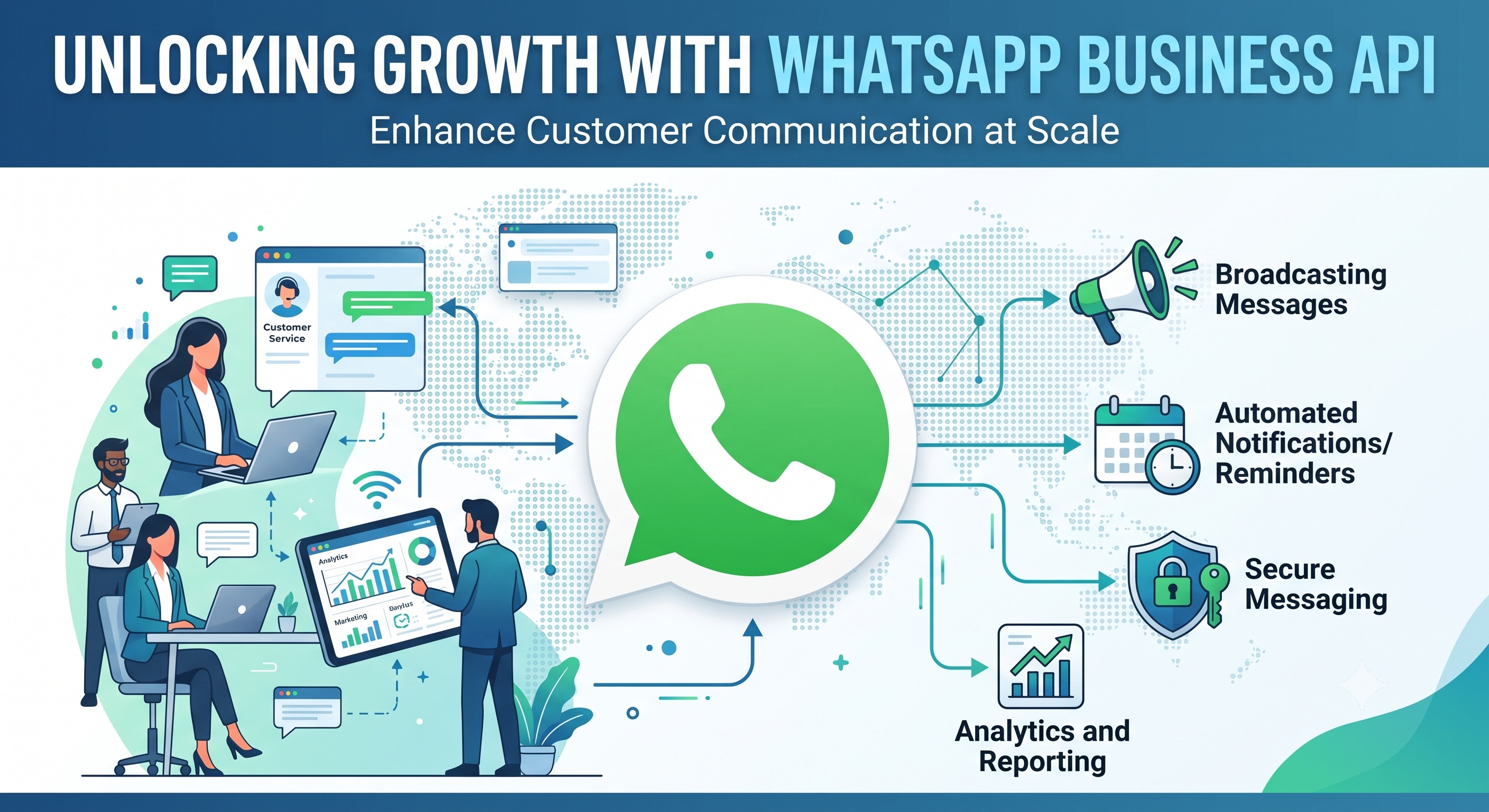
The WhatsApp Business API is what lets a business connect WhatsApp directly to its own software — CRMs, helpdesks, chatbots, marketing platforms — instead of relying on a person manually typing replies from a phone. It's the infrastructure behind the WhatsApp conversations you get from airlines, banks, and delivery apps, and it's why those businesses can talk to millions of customers without an army of agents tapping away on individual handsets.
Most businesses start on the free WhatsApp Business App. It works fine for a single storefront answering a manageable volume of chats. The moment message volume grows, multiple people need to answer from one number, or you want automation and reporting, the app runs out of road — which is exactly the gap the WhatsApp Business Platform (built on the WhatsApp Cloud API) is designed to fill.
The API enables scalable customer communication through programmatic messaging: messages sent and received through code rather than a keyboard, routed through software integrations into the systems your teams already use. That unlocks multi-agent shared inboxes, automated workflows, AI chatbots, CRM syncing, and bulk campaign delivery — all running on a business messaging API rather than a consumer app.
This guide covers what the WhatsApp API actually is and how it works technically, how it differs from the app and from the "Cloud API" terminology you'll see used almost interchangeably, who actually needs it, what you can automate, how Meta's compliance and messaging rules work, what it costs, how to get access, and how to choose between the dozens of providers competing for your business. Treat it as the reference to work through once, then return to section by section as you move from evaluation into implementation.
What Is WhatsApp Business API?
WhatsApp Business API Explained Simply
Strip away the technical layer and the concept is simple: the WhatsApp Business API connects WhatsApp to your business software so messages can be sent and received automatically, not just typed by hand.
Instead of a human opening WhatsApp and replying to each customer, your backend system — a CRM, a support platform, a custom application — talks to WhatsApp directly through code. A customer's message can trigger a chatbot, create a support ticket, or update a CRM record within seconds, with no person needed until (or unless) one actually has to get involved.
How WhatsApp Business API Works
The basic message flow looks like this:
Customer → WhatsApp → API → Business Software → Agent/Automation → Customer
Underneath that simple flow, a few technical pieces do the actual work:
- HTTP endpoints — the addresses your software calls to send a message or fetch account data
- REST API — the standard structure Meta uses for these requests and responses
- Graph API — the broader Meta developer framework the WhatsApp API is built on
- API credentials — the access tokens that authenticate your app to send and receive messages
- Webhooks — the mechanism WhatsApp uses to push incoming messages and status updates to your system in real time
- Event triggers — actions (a new message, a delivery update, a button click) that fire a webhook and can kick off automation
- Software integrations — the connections between the API and your CRM, helpdesk, or backend system
None of this requires your team to write code from scratch. Most businesses connect through a provider platform that handles the technical layer and exposes it through a dashboard, while developers only get involved for custom integrations.
WhatsApp Business API vs WhatsApp Business Platform
This is where a lot of confusion starts, and it's worth clearing up directly: WhatsApp Business Platform is Meta's current official name for what most people still call the WhatsApp Business API. They're the same underlying product — the terminology just shifted as Meta rebranded and expanded the ecosystem.
In practice:
- WhatsApp API and WhatsApp Business API are the informal, widely searched terms
- WhatsApp Business Platform is Meta's current branding for the product
- The Meta WhatsApp API runs through Meta's developer portal and API dashboard, whether accessed directly or through a provider
Under the hood, it's still built on the same Graph API, REST API, and webhooks infrastructure described above. You don't need to worry about picking "the right one" — if you're evaluating a business messaging API for WhatsApp, you're evaluating the WhatsApp Business Platform, regardless of which name a given vendor or article uses.
WhatsApp Cloud API vs WhatsApp Business API
What Is WhatsApp Cloud API?
The WhatsApp Cloud API is Meta's own cloud-hosted API for the WhatsApp Business Platform. It runs on Meta-hosted infrastructure, meaning Meta manages the servers, uptime, and scaling — your business just connects to it for programmatic messaging and business software integration.
"Cloud API" isn't a separate product from "WhatsApp Business API" — it describes how the API is hosted, not a different messaging system.
Cloud API vs On-Premises API
Meta originally offered the WhatsApp Business API in two hosting models:
- Cloud-hosted API — Meta hosts and manages the infrastructure directly
- On-premises API — the business (or its provider) hosted and maintained the infrastructure itself
The on-premises option required significantly more technical overhead — server maintenance, updates, uptime management — and Meta has been actively phasing it out in favor of the cloud model. For virtually every business evaluating the API today, the practical decision has already been made: you're using the Cloud API, whether you access it directly through Meta or through a Cloud API provider.
Why Businesses Use Cloud API
The shift to cloud hosting removed most of the technical barrier to entry, which is a large part of why WhatsApp Business API adoption accelerated. Practical advantages include:
- Easier API access — no server infrastructure to stand up or maintain
- Scalable messaging — Meta's infrastructure handles volume spikes without added engineering work
- Software integration — a stable, well-documented base for connecting CRMs, helpdesks, and e-commerce platforms
- Automation — reliable webhook delivery makes real-time automated workflows practical
- Multi-agent operations — the infrastructure reliably supports the concurrent connections a shared inbox needs
Whether you go directly through Meta or through a Business Solution Provider layered on top, you're building on this same cloud-hosted API foundation.
WhatsApp Business App vs WhatsApp Business API
WhatsApp Business App
The free WhatsApp Business app is what most small businesses start with. It adds business-friendly features — a catalog, quick replies, labels, basic automated greetings — on top of standard WhatsApp, all controlled from a single phone.
Its limitations become clear as a business grows:
- Built for manual conversations, not automation
- Limited multi-agent functionality — really designed for one device, one person
- Limited scalability — becomes unmanageable past a certain message volume
- No real CRM connection or reporting layer
For a genuinely small operation with light WhatsApp volume, none of this is a problem. It becomes one the moment message volume or team size grows past what one phone can reasonably handle.
WhatsApp Business API
The WhatsApp Business API is built for the opposite scenario: messaging at scale, with infrastructure that supports a full team and automated workflows rather than a single device.
Core capabilities include:
- Multi-user access through a shared inbox, so a whole team can work from one WhatsApp number
- Automation — auto-replies, workflows, and bots handling routine messages
- CRM integration — customer conversations synced with existing records
- Chatbots for FAQs, lead qualification, and always-on coverage
- Campaigns — segmented, personalized outbound messaging at volume
- Support for multiple agents working the same number simultaneously without collisions
WhatsApp Business App vs API: Key Differences
| Feature | WhatsApp Business App | WhatsApp Business API |
|---|---|---|
| Primary use | Manual messaging | Programmatic messaging |
| Multiple agents | Limited | Supported through connected platforms |
| Automation | Basic | Advanced |
| CRM integration | Limited | Extensive |
| Chatbots | Limited | Supported |
| High-volume messaging | Limited | Designed for scale |
| Shared inbox | Limited | Supported |
| Business workflows | Limited | Extensive |
Neither option is objectively "better" — they solve different problems. A WhatsApp API for small business use case only makes sense once that small business has outgrown what a single phone and a single person can manage, which is exactly the question the next section works through.
Who Needs WhatsApp Business API?
Signs Your Business Has Outgrown WhatsApp Business App
A handful of operational symptoms tend to show up right before a business hits the ceiling of what the free app can handle:
- High inquiry volume that one phone, or one person, can't keep up with
- Multiple employees already juggling access to a single WhatsApp account
- Slow response times as unanswered chats pile up
- Repetitive questions eating time that could be automated away
- Manual follow-ups falling through the cracks without a system tracking them
- A clear need for CRM integration so conversations aren't siloed from customer records
- A need to run campaigns rather than one-off replies
- No way to get reporting on response times, volume, or outcomes
Any one of these on its own might not justify the move. Several showing up together usually means the free app has become the bottleneck, not the solution.
Businesses That Benefit From WhatsApp API
The API scales down further than people expect, and up almost without limit. It typically makes sense for:
- Medium-sized businesses managing steady, growing message volume
- SMEs that have outgrown single-device messaging
- Enterprises running WhatsApp as a core support or sales channel
- Growing businesses anticipating volume increases ahead of time rather than reacting to a backlog
- Contact centers handling WhatsApp alongside phone and email
- Multi-agent teams that need shared visibility into one number's conversations
WhatsApp API for Sales and Support Teams
Different departments lean on the API for different reasons, but the underlying need — coordinated, trackable, multi-person messaging — is the same across:
- Sales teams qualifying and following up on inbound leads
- Support teams resolving issues without losing context between agents
- Customer service teams handling routine questions at volume
- Contact centers running WhatsApp as one channel in a broader queue
Key Features and Capabilities of WhatsApp Business API
Multi-Agent WhatsApp Support
A single WhatsApp number, worked by an entire team, is one of the most immediately valuable capabilities the API unlocks. A shared team inbox gives every agent visibility into the same conversation stream, with:
- Multi-agent support so more than one person can respond from the same number
- Agent assignment routing specific conversations to specific people
- Chat routing based on rules — department, language, availability
- A centralized inbox instead of conversations scattered across personal devices
- Full conversation history visible to whoever picks up the thread
- A unified customer profile pulling prior context into every new conversation
This alone solves the most common pain point that pushes businesses off the free app: too many people, one phone, no coordination.
WhatsApp Automation
WhatsApp automation takes repetitive, predictable conversations off your team's plate entirely. Typical building blocks include:
- Automated replies and auto-replies for common questions
- A workflow builder for designing multi-step automated sequences
- Event triggers that kick off a workflow based on a keyword, button click, or time delay
- Automated follow-up messages sent without manual intervention
- Built-in lead qualification logic that filters and scores inbound leads
- Clean escalation to human agent and chat handoff when automation reaches its limit
Good automation design isn't about replacing every human conversation — it's about making sure a human only gets involved once the conversation actually needs one.
Chatbots and AI Chatbots
A chatbot handles structured, rules-based conversations. An AI chatbot goes further, using conversational AI and intent detection to understand open-ended questions rather than matching rigid keyword triggers.
Common applications include:
- FAQ automation for the questions that make up most inbound volume
- Lead qualification before a conversation ever reaches a sales rep
- Clean human handoff the moment a query goes beyond what the bot can resolve
- 24/7 support coverage outside business hours
The best implementations treat the AI agent as a first responder, not a replacement for the team — it filters and resolves what it reliably can, and hands off everything else with full context intact.
WhatsApp Business API Integrations
The API's real value shows up once it's connected to the systems your business already runs on. Common integrations include:
- CRM integration — syncing conversations directly into customer records
- Helpdesk integration — turning WhatsApp messages into trackable support tickets
- E-commerce integration — connecting product catalogs, orders, and customer data
- ERP integration — linking messaging to inventory, logistics, or finance systems
- Marketing automation — triggering or logging WhatsApp touches within broader campaign flows
Technically, this runs through standard API integration patterns: webhooks pushing events out, a REST API handling requests, and middleware sitting between WhatsApp and your backend systems where needed. The result is a unified customer profile and clean ticketing, instead of WhatsApp operating as a disconnected side channel.
WhatsApp Messaging, Broadcasts and Campaigns
WhatsApp Broadcast Messaging
Broadcast messaging lets a business send one message to many recipients at once — useful for bulk messaging and mass messaging scenarios like announcements, updates, or time-sensitive alerts.
Worth being direct about here: scale doesn't mean unrestricted messaging. WhatsApp's policies require consent-based messaging and approved templates for business-initiated outreach (covered fully in the compliance section below), so high-volume messaging still has to operate inside those rules. Done well, broadcasts are personalized rather than generic blasts — segmented by customer data, not sent identically to an entire list.
WhatsApp Marketing Campaigns
WhatsApp marketing campaigns work best when they're built around campaign segmentation rather than one-size-fits-all messaging. Typical use cases include:
- Promotional campaigns tied to specific offers
- Personalized messages based on purchase history or behavior
- Customer lifecycle messaging — onboarding, engagement, win-back
- Retargeting customers who showed interest but didn't convert
- Time-bound promotions and offers
Click-to-WhatsApp Ads
Click-to-WhatsApp ads connect paid advertising directly into a WhatsApp conversation, following a simple path:
Ad → WhatsApp conversation → Lead capture → Qualification → Sales
A prospect clicks an ad on Facebook or Instagram, lands straight in a WhatsApp chat instead of a landing page, and the conversation itself becomes the lead capture mechanism. From there, automation or an agent handles lead nurture and lead qualification — a meaningfully lower-friction path than pushing traffic to a web form, and a strong entry point into conversational commerce.
WhatsApp Message Templates and Message Types
What Is a WhatsApp Message Template?
A message template is a pre-approved message format businesses use to start conversations outside the active customer-service window (explained in detail in the compliance section next). Every template goes through template approval with Meta before it can be used.
Templates typically include:
- Fixed message structure with template variables for personalization (a name, an order number, a date)
- A defined template category — marketing, utility, or authentication
- Status as an approved template before it can send
Templates exist because WhatsApp restricts businesses from freely messaging customers who haven't recently interacted — approval is Meta's way of confirming a message is legitimate and non-spammy before it reaches an inbox.
Marketing, Utility and Authentication Templates
Marketing templates cover outbound promotional content:
- Promotions
- Offers
- Campaigns
- Retargeting messages
Utility templates cover transactional, service-related updates:
- Order updates
- Shipping updates
- Appointment reminders
- Booking confirmations
- Payment reminders
- General notifications
Authentication templates cover identity verification:
- OTP messages
- Verification codes
- Two-factor authentication flows
Meta reviews and categorizes templates based on content, and using the wrong category (routing a promotion through a utility template, for instance) is a common cause of template rejection or account quality issues.
WhatsApp Business API Compliance and Messaging Rules
WhatsApp Opt-In and Customer Consent
Every business-initiated WhatsApp conversation depends on customer opt-in. A customer needs to have given explicit consent — through a signup form, a checkbox, an in-store prompt, or a prior WhatsApp interaction — before a business can message them.
This is the foundation of consent-based messaging, and it's treated as a strict policy requirement, not a best practice. A user-initiated message (the customer messages you first) doesn't require separate opt-in, but reaching out cold to a number that never consented is a direct policy compliance violation.
The 24-Hour Customer-Service Window
WhatsApp's messaging rules hinge on a single concept: the 24-hour window.
- A customer-initiated conversation opens a conversation window the moment a customer messages you
- Within that 24-hour service conversation window, a business can reply freely with any message content
- Once the window closes, further outreach requires a business-initiated message sent through an approved template message
- Re-engagement after the window closes always routes back through templates, never free-form text
This structure is what makes templates necessary in the first place — they're the approved mechanism for reaching a customer once the free-conversation window has lapsed.
WhatsApp Quality Rating and Spam Prevention
Every WhatsApp Business number carries a quality rating, and it directly affects messaging capability. Meta monitors:
- Account quality, tracked at both the number and business level
- Spam reports filed by recipients
- Block rate — how often customers block the number
- Delivery status patterns that signal problems
- Ongoing policy compliance across all outbound messaging
Poor practices — messaging without consent, sending irrelevant promotions, ignoring opt-outs — degrade quality rating over time, which in turn lowers messaging limits and can restrict how many people a business is allowed to message per day. Protecting quality rating isn't just a compliance checkbox; it's what keeps scaling headroom available as the program grows.
WhatsApp Business API Use Cases
Sales and Lead Generation
- Lead capture directly from ads, forms, or QR codes into WhatsApp
- Lead qualification through automated question flows
- Lead nurture sequences that keep prospects warm
- Automated follow-up so no lead goes cold from a missed reply
- Conversion tracking connecting conversations to closed deals
- Click-to-WhatsApp ads as a direct paid-to-conversation pipeline
- Conversational commerce — browsing, questions, and purchase happening in one thread
Marketing and Customer Engagement
- WhatsApp campaigns built around specific offers or announcements
- Personalized broadcasts segmented by customer behavior
- Promotions and offers tied to timing or customer lifecycle stage
- Retargeting customers who engaged but didn't convert
- Customer lifecycle messaging across onboarding, retention, and win-back
- Campaign segmentation so messaging stays relevant rather than generic
Customer Support
- Core customer support handled directly inside WhatsApp
- FAQ automation resolving routine questions instantly
- Chat routing to the right team or agent
- Ticketing so nothing gets lost between systems
- Multi-agent support across a shared inbox
- Clean chat handoff and escalation to human agent when needed
- Measurable response-time reduction compared to email or phone queues
Transactions and Notifications
- Order confirmation messages
- Shipping update and delivery notification alerts
- Appointment reminder and booking confirmation messages
- Payment reminder and invoice notification delivery
- Renewal reminder messages ahead of subscription or policy expiry
- Feedback survey and NPS survey requests post-interaction
Authentication and Verification
- Authentication code delivery for login and account actions
- One-time password (OTP) messages
- General verification codes for identity confirmation
WhatsApp Business API Use Cases by Industry
E-commerce and Retail
- Order notifications and shipping updates
- Cart abandonment recovery through abandoned cart recovery messages
- Product catalog browsing and product cards shared directly in chat
- Time-bound promotions
- Post-purchase customer support
Healthcare
- Appointment booking and appointment reminders
- Ongoing patient communication around care instructions or follow-ups
- Document collection — forms, IDs, insurance details
- General patient support
Banking, Financial Services and Insurance
- Payment reminders for due balances
- KYC document collection and verification steps
- Authentication for secure transactions
- Insurance claims status updates
- Policy updates and renewal reminders
Education
- Admissions inquiries and follow-up
- Lead qualification for prospective students
- Ongoing student communication
- Class, fee, and deadline reminders
- General academic support
Real Estate
- Lead capture from property listing inquiries
- Lead qualification based on budget and preferences
- Property inquiries answered instantly
- Structured follow-ups through the sales cycle
- Appointment scheduling for viewings
Travel and Hospitality
- Booking confirmation messages
- Travel and appointment reminders
- Real-time customer support during trips or stays
- Itinerary and booking updates
Beyond these six, automotive (service reminders, test-drive booking) and telecom (billing, plan updates, support) are two more sectors where WhatsApp API adoption runs deep — and virtually any business running large-scale customer support operations benefits from the same underlying patterns regardless of industry label.
How to Get WhatsApp Business API
WhatsApp Business API Requirements
Getting access starts with a handful of foundational requirements, all tied to Meta's business identity and verification systems:
- A Meta Business Manager account
- Access through Meta Business Suite
- Completed Meta business verification
- A WhatsApp Business Account (WABA)
- A dedicated business number for phone number registration
- Completed number verification
- A configured display name
- A filled-out business profile
None of these are unusual asks for an established business — they mirror the kind of verification most platforms require before granting access to bulk messaging infrastructure.
WhatsApp Business Account Setup
The typical setup sequence runs:
Meta Business Manager → Business Verification → WABA → Phone Number → Verification → Display Name → Templates → Messaging
Each step gates the next — you can't register a number before business verification clears, and you can't send template messages before at least your first templates are approved. Budgeting a few days to a couple of weeks for verification and approval is realistic, particularly for larger organizations with more complex legal entity structures.
Direct Cloud API vs BSP Onboarding
Two broad paths lead to the same destination:
- Direct Meta Cloud API — working straight with Meta's infrastructure and developer tools, typically suited to businesses with in-house technical resources
- Business Solution Provider (BSP) onboarding — going through a third-party platform that handles the technical complexity and adds a management layer on top
Most businesses, even fairly technical ones, choose the BSP route because it collapses weeks of integration work into a guided setup — the next section covers exactly what that role includes.
What Is a WhatsApp Business Solution Provider (BSP)?
What Does a BSP Do?
A Business Solution Provider (BSP) is a Meta-authorized company that provides API access along with the tooling layer businesses actually need to use it day to day. That typically includes:
- Guided onboarding through verification and setup
- A ready-built inbox for the team to work from
- Automation tools without custom development
- Template management — creation, submission, and tracking approval status
- Pre-built integrations with common CRMs and helpdesks
- Ongoing support for technical and account issues
BSP vs Direct WhatsApp Cloud API
The practical trade-off comes down to a handful of factors:
| Factor | Direct Cloud API | BSP |
|---|---|---|
| Technical complexity | Higher | Lower |
| Setup | Requires developer resources | Largely guided |
| Development requirements | Custom-built | Pre-built tooling |
| Shared inbox | Build it yourself | Included |
| Automation | Build it yourself | Included |
| Support | Meta's standard channels | Dedicated vendor support |
| Integration capabilities | Custom development | Native/pre-built connectors |
A Meta-authorized provider or established WhatsApp partner is generally the faster, lower-risk path unless the business already has a dedicated engineering team ready to build and maintain the integration layer in-house. Either route ultimately runs on the same messaging platform and Cloud API provider infrastructure underneath.
WhatsApp Business API Pricing
How WhatsApp API Pricing Works
WhatsApp API pricing typically has two layers stacked together:
- Meta fees — Meta's own charges, generally based on conversation charges or message-based pricing depending on the current pricing model in your market
- Provider fees — a subscription fee or usage-based charge from whichever BSP or platform you're using for inbox, automation, and support tooling
Meta's own pricing structure has shifted over time (from purely per-conversation pricing toward more granular models in some markets), so current rates should always be confirmed directly with Meta or your provider rather than assumed from older sources.
What Affects WhatsApp API Costs?
Several variables determine what a given business actually pays:
- Message or conversation volume — more messaging activity means higher total spend
- Message category — marketing, utility, and authentication conversations are often priced differently
- Destination market — Meta's rates vary by country
- Provider or platform fees — layered on top of Meta's own charges
- Implementation costs — any custom integration or development work required
Is WhatsApp Business API Free?
No — and it's worth being direct about this distinction. The WhatsApp Business App is a free app option suited to manual, low-volume messaging. The WhatsApp Business API is commercial messaging infrastructure with applicable charges from both Meta and, in most cases, a provider platform.
Free-tier conversation allowances exist in some Meta pricing models, but they're a small starting allotment, not a substitute for a paid plan once messaging volume grows.
How to Choose the Right WhatsApp API Provider
API and Integration Capabilities
Look closely at how deep a provider's integration options actually go:
- Native CRM integration with the platforms you already use
- Helpdesk integration for ticket-based support workflows
- E-commerce integration for catalog and order syncing
- ERP integration where operational systems need to connect
- Open REST API and webhooks access for custom needs
- Flexibility for deeper backend integration if requirements grow
Team and Inbox Features
Evaluate the day-to-day usability of the inbox your team will actually work in:
- Quality of the shared inbox interface
- Support for multiple agents without conversation collisions
- Flexible agent assignment rules
- Configurable chat routing logic
- Full conversation history retained and searchable
- A genuinely centralized inbox, not a patchwork of tabs
Automation and AI Capabilities
- Depth and flexibility of chatbot building tools
- Quality of available AI chatbot options
- Range of workflow automation possible without custom code
- Reliable automated replies
- Built-in lead qualification logic
- Clean, well-designed human handoff
Campaign and Messaging Features
- Broadcast messaging limits and delivery reliability
- Campaign segmentation depth
- Personalized messaging at scale, not just merge-tag substitution
- Template management tooling and approval turnaround support
- Native or integrated Click-to-WhatsApp ads support
Reporting and Analytics
- Visibility into delivery status and read rate
- Response rate and response time tracking
- Conversion tracking tied to actual outcomes
- Agent productivity and resolution time reporting
- Campaign analytics broken down by segment
- Clarity on ROI — whether the platform makes that calculation possible at all
The strongest providers make all five of these areas transparent during evaluation, rather than making you discover gaps after you're already onboarded.
WhatsApp Business API Analytics and Performance Tracking
Messaging Performance Metrics
The base layer of measurement covers whether messages are actually reaching people and getting responses:
- Message delivery rates
- Read receipts and overall open rate
- Response rate from recipients
- Response time from your team or automation
- Block rate — an early warning sign for quality issues
- Spam reports volume
Sales and Conversion Metrics
- Lead generation volume flowing through WhatsApp
- Lead-to-sale conversion rates
- Overall conversion rate across campaigns and conversations
- Customer engagement levels over time
- Revenue attribution tied back to WhatsApp as a channel
- ROI on the messaging program as a whole
Customer Support Metrics
- Agent productivity across the support team
- Resolution time per conversation
- Response time against internal SLAs
- Customer satisfaction scores collected post-interaction
- Retention trends among customers actively engaged on WhatsApp
Campaign Analytics
- Campaign analytics broken down by segment and template
- Delivery and engagement rates per campaign
- Response rates by audience segment
- Conversion tracking connecting campaign sends to actual outcomes
Consistent tracking across these four layers is what turns WhatsApp from "a channel we use" into a measurable, optimizable part of the business.
Business Benefits of WhatsApp Business API
Scale Customer Communication
The most immediate benefit is straightforward: messaging at scale becomes operationally possible. High-volume messaging that would overwhelm a single phone runs cleanly through a system built for scalable customer communication.
Improve Sales Efficiency
Automated lead qualification and automated follow-up mean sales teams spend time on qualified conversations instead of chasing cold leads. Combined with structured lead nurture and conversion tracking, sales automation shortens the path from inquiry to close.
Improve Customer Support
Multi-agent support and intelligent chat routing distribute volume evenly across a team. Layered automation handles routine requests, driving real response-time reduction, while 24/7 support coverage extends beyond business hours without added headcount.
Improve Customer Experience
Faster responses are only part of the experience improvement. A unified customer profile and full conversation history mean customers don't have to repeat themselves with a new agent, and personalized communication replaces generic, one-size-fits-all replies.
Increase Retention and Revenue
Consistent customer engagement on a channel people already check daily supports stronger customer retention. Combined with clear revenue attribution, it becomes possible to demonstrate concrete ROI on the WhatsApp program rather than treating it as a cost center.
WhatsApp Business API for Large-Scale Customer Support Operations
Businesses running high-volume support — contact centers, BPOs, enterprise support desks — get the most differentiated value from the API, because the same features that help a mid-sized team become essential infrastructure at scale.
Shared WhatsApp Inbox for Customer Support Teams
A shared team inbox built for volume includes robust multi-agent support, rules-based agent assignment, and flexible chat routing that can account for language, skill, shift, or queue priority — not just round-robin assignment.
Chatbot-to-Agent Handoff
At scale, an AI chatbot with strong intent detection and FAQ automation absorbs a meaningful share of volume before a human ever sees it. The design detail that matters most is the handoff: clean escalation to human agent and chat handoff that preserves full context, so customers never have to re-explain themselves after being transferred.
WhatsApp for Lead Qualification and Sales
Even within a support-heavy operation, lead capture and lead qualification flows can run in parallel — automated lead nurture keeps commercial opportunities moving without pulling support agents off their core queue.
WhatsApp for Transactional Customer Support
High-volume operations lean heavily on transactional messaging to deflect routine contact before it ever becomes a live conversation:
- Order-status support answering "where is my order" automatically
- Delivery notifications sent proactively
- Appointment reminders reducing no-shows
- Payment reminders and renewal reminders handled without agent involvement
CRM and Helpdesk Integration
CRM integration and helpdesk integration are what make large-scale support operations manageable — every conversation becomes a piece of ticketing history, tied to a unified customer profile and full conversation history, rather than a disconnected chat thread.
Operational Reporting
At scale, reporting needs to answer operational questions, not just channel-level ones:
- Response time and resolution time by team or shift
- Agent productivity benchmarked across the operation
- Customer satisfaction trends over time
- Conversion tracking where support intersects with retention or upsell
- Location or team-level reporting, where the implementation supports segmenting data that granularly
This is where WhatsApp stops being "a messaging app businesses also use" and becomes core support infrastructure, measured with the same rigor as phone or email.
Interested in what this covers? Explore our CRM Development service.
Learn More